SAST vs DAST: Choose, Integrate, and Ship Safer Code
SAST (Static Application Security Testing) scans your source code or bytecode without running it, while DAST (Dynamic Application Security Testing) probes a live, running application from the outside. The short recommendation: run SAST early in your development workflow and CI pipeline, run DAST against staging or production-like environments, and correlate both outputs to confirm which findings are genuinely exploitable.
Start here:
- Run SAST on every pull request as a pre-merge gate blocking high and critical severity findings.
- Add DAST to your staging pipeline after each deploy, starting with unauthenticated scans.
- Correlate SAST line-of-code hits with DAST proof-of-concept requests to cut triage time and prioritize real risk.
Key Takeaways
Running SAST early in CI and DAST against staging, then correlating their outputs, gives you the coverage neither tool achieves alone.
| Point | Details |
|---|---|
| SAST runs early, DAST runs late | Gate PRs with SAST; trigger DAST after every staging deploy for runtime validation. |
| Correlation cuts triage time | Match SAST line-of-code findings with DAST proof-of-concept requests to confirm exploitability fast. |
| Each tool has blind spots | SAST misses runtime misconfigs; DAST misses dead code paths and non-exposed endpoints. |
| Repo scanning is a pre-flight | Use Vibeprod to clear exposed secrets and CI/CD misconfigs before SAST and DAST pipelines run. |
| Confirmed exploitables come first | Prioritize DAST-confirmed findings for immediate fixes; treat SAST-only flags as sprint backlog items. |
Table of Contents
- How SAST works and what it catches in your code
- How DAST works and what it finds at runtime
- Where each approach is strong and where each falls short
- When to run each tool in your SDLC and how to gate releases
- Which vulnerabilities each approach finds, mapped to OWASP Top 10
- Common SAST and DAST tools: a quick reference
- SAST vs DAST: side-by-side comparison
- How to integrate SAST and DAST into your CI/CD pipeline
- Complementary approaches: IAST, RASP, and SCA
- How Vibeprod’s repository scanning fits into your security stack
- A practical prioritization checklist for teams with limited resources
- Sources
- FAQ
How SAST works and what it catches in your code
Static application security testing analyzes source code, bytecode, or compiled binaries without executing the program. The scanner builds an abstract syntax tree (AST) and runs control-flow and data-flow analysis to trace how data moves through your application and where it might reach a dangerous sink.
Because SAST never runs the code, it can inspect every branch, including dead code paths that no user request would ever trigger. That breadth is one of its core strengths. It also means SAST can flag a vulnerability in code that is technically unreachable at runtime, which is the root cause of its false-positive problem.
Typical issues SAST surfaces:
- SQL injection patterns where user input flows into a query without parameterization
- Unsafe deserialization of untrusted data
- Hard-coded secrets, API keys, and credentials in source files
- Insecure cryptographic usage (MD5, SHA-1, weak key sizes)
- Path traversal and command injection sinks
- Missing input validation on data entering sensitive functions
When to run it: SAST fits best at the earliest stages. Most teams run it in the IDE via a plugin (SonarLint, Snyk IDE extension), as a pre-commit hook, and as a required CI check on every PR before merge. The SANS Top 25 Software Errors maps directly to the kinds of programming mistakes SAST is designed to catch, making it a useful prioritization reference when tuning your rule sets.
One constraint worth knowing: SAST is parser-dependent. A Java scanner cannot analyze a Go codebase. If your stack is polyglot, you need either a multi-language tool or separate scanners per language, which adds configuration overhead.
How DAST works and what it finds at runtime
Dynamic application security testing treats your application as a black box. The scanner sends HTTP requests, crawls endpoints, injects payloads, and observes how the application responds. It has no access to source code and no knowledge of your internal architecture.
That external perspective is exactly what makes DAST valuable. It tests what an attacker would actually see and interact with. CircleCI’s guidance on DAST highlights that DAST can surface runtime and configuration issues that static analysis simply cannot reach, including misconfigured HTTP security headers, TLS problems, and authentication weaknesses that only appear when the app is live.
Typical issues DAST surfaces:
- Broken authentication and session management flaws
- Missing or misconfigured security headers (Content-Security-Policy, X-Frame-Options, HSTS)
- CORS misconfigurations that allow cross-origin data leaks
- Server-side misconfigurations and exposed admin interfaces
- TLS/SSL weaknesses and certificate issues
- Reflected and stored XSS payloads that execute in a real browser context
When to run it: DAST needs a stable, running environment. Staging or a production-like environment is the standard target. Running DAST against a half-deployed or unstable environment produces unreliable results. Nightly scans against staging work well for most teams; pre-production acceptance scans add a second checkpoint before a high-risk release.
DAST scans take longer than SAST scans because they interact with a live system over the network. Authenticated scans, which test endpoints behind a login, take longer still but catch far more. The trade-off is worth it for any application with user accounts or sensitive data flows.
Where each approach is strong and where each falls short
Understanding the trade-offs between SAST and DAST is what separates teams that use both well from teams that over-invest in one and get blindsided by the other.
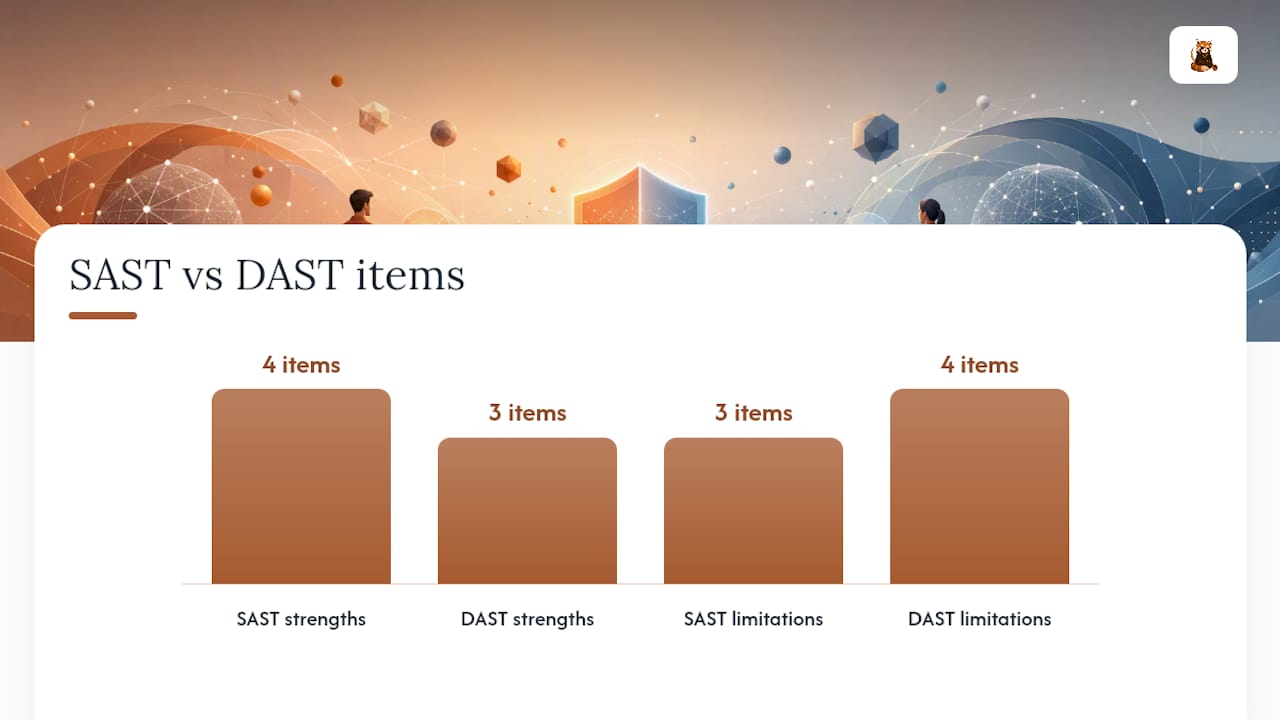
SAST strengths:
- Catches issues at the line-of-code level, giving developers an exact file and line number to fix
- Runs fast enough to gate pull requests without slowing CI pipelines significantly
- Covers dead code paths and logic branches that no live scan would reach
- Language-specific parsers enable deep analysis of framework-specific patterns
SAST limitations:
- False positives are a known cost: without runtime context, the scanner cannot always confirm whether a flagged code path is actually reachable or exploitable
- Cannot detect runtime misconfigurations, environment-specific issues, or third-party service behavior
- Language and framework dependency means coverage gaps in polyglot stacks
DAST strengths:
- Confirms exploitability by producing actual proof-of-concept requests, not theoretical flags
- Language-agnostic: it tests the running application regardless of what it is built with
- Catches configuration and infrastructure issues that live outside the codebase entirely
DAST limitations:
- Only tests reachable, crawlable endpoints; dead code paths and non-exposed endpoints are invisible to it
- Requires a stable, representative environment to produce reliable results
- Authenticated scans require setup and maintenance as the application evolves
- Longer scan times make it unsuitable as a synchronous PR gate
The practical triage impact is significant. SAST findings require a developer to read code and judge exploitability manually. DAST findings often come with a request/response pair that demonstrates the issue, which cuts the time from finding to confirmed bug considerably.
When to run each tool in your SDLC and how to gate releases
Mapping SAST and DAST to the right pipeline stages is where the theory becomes a working security program. Here is a concrete timeline with gating guidance:
- IDE / local development: Run SAST via a plugin (SonarLint, Snyk IDE extension) to catch issues before code is committed. No gate needed here; it is a developer feedback loop.
- Pre-commit hook: A lightweight SAST check on changed files catches obvious issues before they hit the remote. Keep it fast (under 30 seconds) or developers will disable it.
- PR / CI pre-merge gate: Run full SAST on the branch. Block merge on any high or critical severity finding. This is your primary SAST gate. Synack’s rollout guidance supports starting here for the fastest time-to-value.
- Build / artifact creation: Run a nightly full SAST scan on the main branch to catch issues that incremental PR scans might miss across merged changes.
- Deploy to staging: Trigger an unauthenticated DAST scan automatically after each staging deploy. Run it asynchronously so it does not block the deploy itself.
- Authenticated DAST on staging: Schedule authenticated scans for critical paths (login, payment, admin) on a nightly or pre-release cadence. Block a production release if authenticated DAST finds a high-severity issue on a critical endpoint.
- Pre-production acceptance: Run a final DAST sweep before a high-risk or major release. PCI DSS and similar compliance frameworks often require runtime validation at this stage.
- Production monitoring scans: Passive or low-impact DAST scans against production can catch regressions, but require careful scoping to avoid side effects. Use test accounts and isolated data.
Do / don’t summary:
- Require SAST “no high/critical” as a hard PR merge gate.
- Run DAST asynchronously for most releases; make it a hard gate only for high-risk deploys or compliance-required releases.
- Never run active DAST directly against a production database with real user data without explicit scoping and rollback plans.
Which vulnerabilities each approach finds, mapped to OWASP Top 10
The OWASP Top Ten gives you a shared vocabulary for mapping findings to risk. Not every item is equally detectable by SAST or DAST, and knowing which tool catches which class of vulnerability prevents coverage gaps.
SAST tends to find:
- Injection flaws (SQL, command, LDAP) by tracing tainted data to dangerous sinks in code
- Insecure deserialization patterns visible in source
- Hard-coded credentials and secrets (maps to OWASP A07: Identification and Authentication Failures)
- Insecure cryptographic algorithm usage
- Unsafe reflection and dynamic code execution
- Missing authorization checks in code paths (maps to OWASP A01: Broken Access Control, partially)
DAST tends to find:
- Broken authentication and session management issues that only manifest at runtime
- Security misconfiguration (OWASP A05): missing headers, exposed debug endpoints, directory listing
- Cross-site scripting (XSS) confirmed by payload execution in a live context
- Server-side request forgery (SSRF) via live endpoint probing
- TLS/SSL misconfigurations and expired certificates
- Exposed sensitive data in HTTP responses
Overlap classes: SQL injection and XSS appear on both lists. SAST hypothesizes the vulnerability from code patterns; DAST confirms it with a working payload. Running both on the same codebase and comparing findings is how you separate theoretical risk from confirmed exploitability, which is exactly what Offensive360 recommends for reducing triage overhead.
Note on exploitability: A SAST flag on an injection sink is a lead, not a confirmed bug. A DAST finding with a proof-of-concept request is a confirmed bug. Prioritize confirmed DAST findings for immediate remediation; use SAST findings to drive code-level fixes during normal sprint work.
Common SAST and DAST tools: a quick reference
Every tool in this list is widely used in production environments. Tool choice depends on language coverage, CI/CD integration requirements, enterprise needs, and budget.
| Tool | Category | Best for | CI/CD integration | Key caveat |
|---|---|---|---|---|
| SonarQube | SAST | Multi-language code quality and security in one platform | Native plugins for Jenkins, GitHub Actions, GitLab CI | High false-positive rate without tuning; requires dedicated server for self-hosted |
| GitLab | SAST + DAST | Teams already on GitLab who want built-in scanning without extra tooling | Native, zero-config for GitLab CI/CD pipelines | DAST depth is lighter than dedicated scanners; best for baseline coverage |
| Snyk | SAST + SCA | Developer-first security with IDE integration and dependency scanning | GitHub, GitLab, Bitbucket, CircleCI, Jenkins | Free tier has scan limits; SCA is stronger than pure SAST depth |
| Veracode | SAST + DAST | Enterprise teams needing compliance reporting and policy management | API-driven; integrates with most major CI platforms | Higher cost; scan times can be long for large codebases |
| OWASP ZAP | DAST | Open-source baseline DAST for teams starting out or running in CI | Docker-based; GitHub Actions integration available | Requires configuration for authenticated scans; community-supported |
| Burp Suite | DAST | Manual and automated web application security testing by security engineers | Burp Enterprise for CI/CD; Community edition is manual-only | Community edition lacks automation; Enterprise tier is expensive |
A few notes on this list:
SonarQube is often the first SAST tool teams adopt because it covers 30+ languages and integrates with nearly every CI platform. The default rule sets produce noise, so plan for a tuning sprint before you gate PRs on its output.
OWASP ZAP is the go-to starting point for DAST on a budget. Its Docker image makes it straightforward to drop into a GitHub Actions workflow for unauthenticated baseline scans. Authenticated scan setup requires more effort but is well-documented.
Burp Suite Professional is what most security engineers reach for when they need to go deep on a specific application. Its manual testing capabilities and active scan engine are more thorough than ZAP for complex authentication flows.
Pro Tip: Before running DAST against a staging environment, review how your environment handles test data and side effects. A poorly scoped DAST scan can trigger emails, charge test payment methods, or corrupt database state. Understanding how developer sandboxes isolate test environments from production data is worth the read before you automate DAST in CI.
SAST vs DAST: side-by-side comparison
| Dimension | SAST | DAST |
|---|---|---|
| What it inspects | Source code, bytecode, or binaries | Running application via HTTP/network |
| When to run | IDE, pre-commit, PR gate, CI build | Staging deploy, pre-production, nightly |
| Perspective | White-box (full code visibility) | Black-box (external attacker view) |
| Typical findings | Injection sinks, hard-coded secrets, insecure crypto | Auth flaws, header misconfig, TLS issues, XSS |
| False-positive tendency | Higher (no runtime context) | Lower (findings are confirmed by live response) |
| CI/CD fit | Excellent (fast, runs on code diff) | Good (needs running environment; slower) |
| Language dependence | Yes (parser per language/framework) | No (tests the app, not the code) |
| Effort and cost | Low to start; tuning required to reduce noise | Moderate setup; authenticated scans add complexity |
How to integrate SAST and DAST into your CI/CD pipeline
A working DevSecOps pipeline is not two separate scan jobs. It is a coordinated workflow where SAST and DAST outputs feed the same triage queue. Here is how to build it:
- IDE and pre-commit: Developer runs SAST locally via plugin or pre-commit hook. Fast feedback, no pipeline cost.
- PR SAST gate: CI runs SAST on the branch diff. Block merge on high/critical. Post findings as PR comments so developers fix in context.
- Build and artifact: Merge triggers a full build. Run a nightly full SAST on main to catch cross-branch issues.
- Deploy to staging: Automated deploy triggers unauthenticated DAST scan. Run it as a non-blocking async job; notify the team on completion.
- Authenticated DAST: Scheduled nightly or pre-release. Target login flows, API endpoints, and admin paths. Block production release on high-severity findings for critical paths.
- Correlate findings: Pull SAST and DAST results into a single dashboard or ticketing system. Match SAST line-of-code findings against DAST proof-of-concept requests for the same vulnerability class.
- Open remediation tickets or fix PRs: Confirmed DAST findings get immediate tickets. SAST-only findings go into the sprint backlog with severity-based SLAs.
Triage checklist for each finding:
- Severity (CVSS score or tool-assigned rating)
- Exploitability (is there a DAST proof-of-concept?)
- Business impact (does this endpoint handle PII, payments, or auth?)
- Reproducibility (can you reproduce it in a clean environment?)
Pro Tip: Correlating SAST line-of-code hits with DAST proof-of-concept requests is the single highest-leverage triage move available to a small security team. A SAST flag on a SQL query sink plus a DAST finding showing a working injection payload on the same endpoint collapses what would be a multi-hour investigation into a five-minute confirmation.
For automation cadence: run incremental SAST on every PR (fast, scoped to changed files) and full SAST nightly on main. Schedule DAST by release cadence for most endpoints, and run it on every deploy for high-risk paths like authentication and payment flows.
Complementary approaches: IAST, RASP, and SCA
SAST and DAST cover a lot of ground, but three adjacent techniques close the gaps they leave open.
IAST (Interactive Application Security Testing) instruments the running application from the inside, combining the code-level visibility of SAST with the runtime context of DAST. It is particularly useful for microservices architectures where tracing a data flow across service boundaries is difficult with static analysis alone. Add IAST to an instrumented staging environment when your SAST false-positive rate is high and you need runtime confirmation without the setup overhead of full DAST.
RASP (Runtime Application Self-Protection) embeds security controls directly into the application runtime and can block attacks in real time. It is not a testing tool; it is a production protection layer. Use RASP for high-value applications where a zero-day or missed vulnerability in production would be catastrophic. It complements SAST and DAST rather than replacing either.
SCA (Software Composition Analysis) scans your dependencies and third-party libraries for known CVEs. Neither SAST nor DAST reliably catches a vulnerable version of a library you imported. SCA is mandatory for any team with supply-chain risk concerns, which is essentially every team shipping software in 2026. Tools like Snyk and Dependabot handle this well and integrate into the same PR workflow as SAST.
The right combination for most teams: SAST plus SCA in CI, DAST in staging, and RASP in production for the highest-risk applications.
How Vibeprod’s repository scanning fits into your security stack
SAST and DAST are powerful, but they both assume your repository is already clean enough to scan. In practice, many teams ship with exposed secrets, misconfigured CI/CD pipelines, and missing authentication checks that neither a static analyzer nor a dynamic scanner will catch before they reach production.
Vibeprod scans your GitHub repository and surfaces these launch-time risks before your SAST or DAST pipeline even runs. The workflow is straightforward: connect your repo, get plain-English findings in under two minutes, and review the fix pull requests Vibeprod opens automatically. Nothing is auto-merged; every fix is a PR you approve.
Where Vibeprod fits in the stack:
- Catches exposed secrets and hard-coded credentials at the repo level, before SAST scans run
- Flags CI/CD and infrastructure misconfigurations that SAST parsers do not analyze
- Identifies missing authentication patterns and privacy compliance gaps in the codebase
- Surfaces dependency vulnerabilities as part of the pre-flight check
The practical effect for a solo developer or small team: you arrive at your SAST and DAST runs with a cleaner baseline. Fewer false positives from obvious issues, and the findings that do surface are more likely to represent real architectural risk rather than configuration noise.
Pro Tip: Run a Vibeprod scan before you configure your first SAST pipeline. The plain-English findings give you a prioritized list of what to fix first, so you are not tuning SAST rules against a codebase that still has hard-coded AWS keys in a config file.
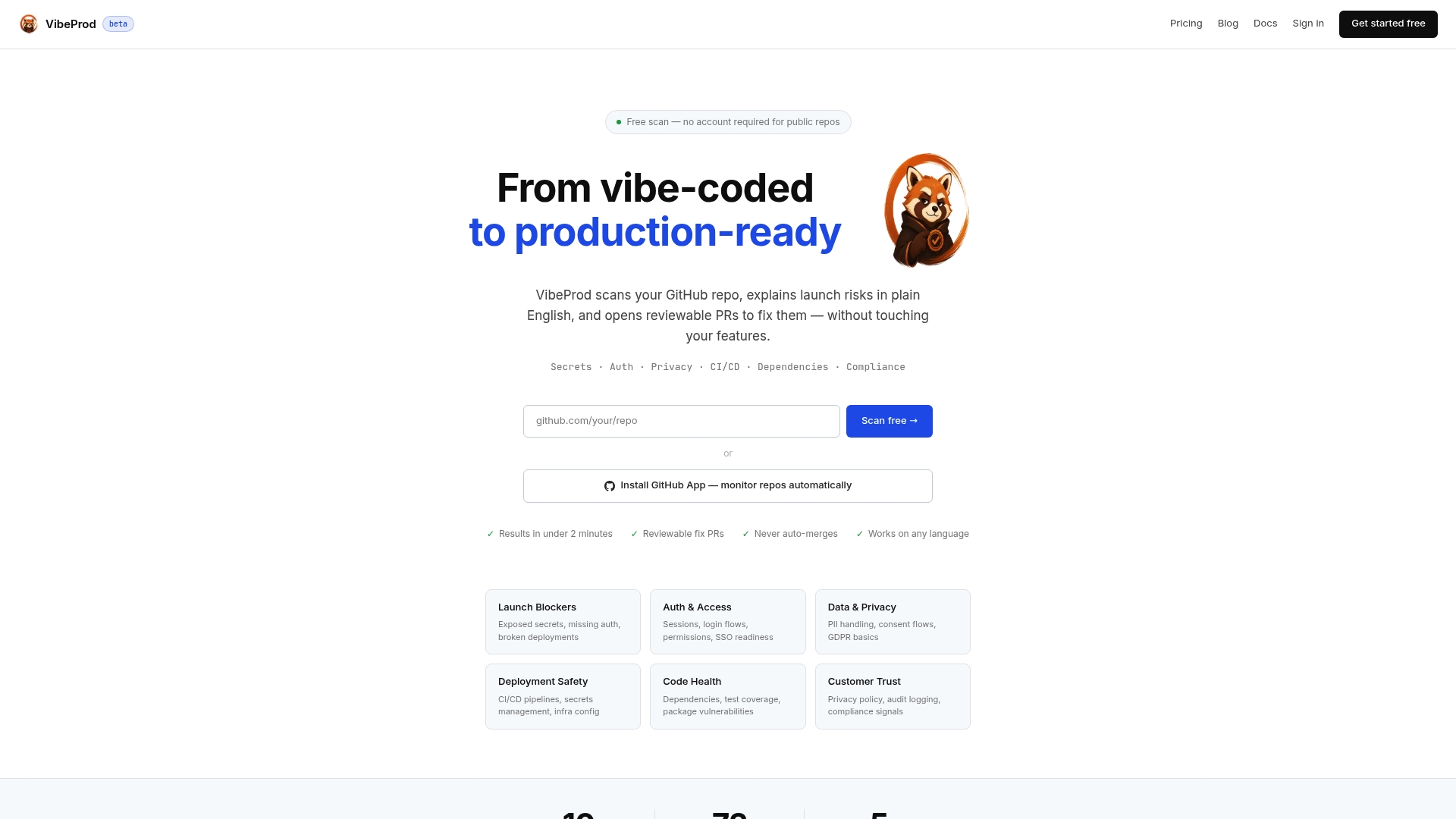
Ready to ship safer? Scan your GitHub repo with Vibeprod and get your launch-risk report in under two minutes at Vibeprod.
A practical prioritization checklist for teams with limited resources
Most teams do not have a dedicated AppSec engineer. If you are a developer or a small team managing security alongside product work, here is the order that delivers the most value for the least friction:
-
Enable fast SAST in PRs first. This is the highest-leverage starting point. You get developer feedback at the moment of writing, and you stop new vulnerabilities from entering the codebase. Start with a tool that has a zero-config CI integration (GitLab’s built-in SAST or Snyk) and tune the noise down before adding more rules.
-
Add nightly full SAST on main. Incremental PR scans miss cross-branch issues. A nightly full scan catches what slips through and gives you a baseline to track over time.
-
Run unauthenticated DAST in staging. Once you have a staging environment, add an OWASP ZAP Docker scan to your deploy workflow. It takes an afternoon to set up and catches header misconfigurations, exposed endpoints, and basic injection issues without any authentication complexity.
-
Add authenticated DAST for critical paths. Login flows, payment endpoints, and admin interfaces need authenticated scanning. This is where most real-world breaches originate. Schedule it nightly or pre-release.
-
Correlate findings and reduce your triage backlog. Match SAST and DAST findings for the same vulnerability class. Confirmed exploitables go to the top of the queue; SAST-only theoretical findings get SLA-based sprint tickets.
The ordering follows a simple principle: fastest time-to-value, lowest setup friction, then increasing investment as your confidence in the pipeline grows. Measuring ROI is straightforward: track triage time per finding, count confirmed exploitables caught before production, and watch mean time to remediation drop as correlation improves.
Sources
- OWASP Top Ten
- SANS Top 25 Software Errors
- PCI Security Standards
- SAST vs DAST: Differences And When to Use | The TeamCity Blog
- SAST vs DAST: Which Security Testing Do You Actually Need? | Offensive360
- Difference between SAST and DAST
- Understanding the Difference Between DAST vs. SAST
- SAST vs DAST: Key Differences Explained
FAQ
Is SonarQube a SAST or DAST tool?
SonarQube is a SAST tool. It analyzes source code statically without executing it, checking for security vulnerabilities, code quality issues, and bugs across 30+ languages.
What is SAST and DAST in the SDLC?
SAST runs early in the software development lifecycle, typically during coding and code review, to catch vulnerabilities in source code before deployment. DAST runs later, against a running application in staging or pre-production, to find runtime and configuration issues.
Is DAST still used today?
Yes. DAST remains a core part of modern AppSec programs because it confirms exploitability against a live application, catches runtime misconfigurations that static analysis cannot see, and is language-agnostic. Compliance frameworks like PCI DSS also require runtime validation that DAST supports.
Is Selenium a DAST tool?
No. Selenium is a browser automation framework used primarily for functional and UI testing. It does not include security payloads, vulnerability detection logic, or the attack simulation capabilities that define a DAST tool like OWASP ZAP or Burp Suite.
Can SAST and DAST replace each other?
No. They cover fundamentally different attack surfaces. SAST finds code-level issues including dead code paths that DAST never reaches; DAST confirms runtime exploitability and catches configuration issues that exist outside the codebase entirely. Using both and correlating their findings produces coverage that neither achieves alone.