How to Review Lovable Generated Code Security

Reviewing Lovable generated code security is the critical step most indie developers skip between shipping a prototype and running a production app. Lovable’s AI generates frontend and backend code fast, but 45%–70% of AI-generated code fails standard security tests. That failure rate is not a minor footnote. CVE-2025-48757 exposed data across 170+ Lovable apps due to missing Row Level Security policies, proving that a working app and a safe app are two different things. A systematic code security assessment before deployment is not optional.
What are the common security vulnerabilities in Lovable-generated code?
78% of Lovable-generated apps contain at least one critical vulnerability. That number should reset your assumptions about what “working code” actually means. The root cause is structural: AI models generate code by favoring statistically common patterns, not secure coding intent. The result is functional code that repeatedly produces insecure constructs.
Here are the most common generated code vulnerabilities you will find in Lovable apps:
- Missing or misconfigured RLS policies. CVE-2025-48757 hit 303 vulnerable endpoints across 170 apps because Lovable does not implement Supabase Row Level Security by default. A SELECT policy that checks
auth.uid()but no UPDATE or DELETE policy is a partial fix that still leaves data exposed. - Hardcoded API keys in client-side code. Lovable frequently embeds credentials directly in JavaScript files that ship to the browser. Any user who opens DevTools can read them.
- No rate limiting on auth endpoints. Unprotected password reset and login endpoints are open to brute-force abuse. Lovable does not add rate limiting by default.
- Insufficient input validation. Client-side checks are easy to bypass. Without server-side validation on Supabase Edge Functions or backend routes, SQL injection and XSS remain live risks.
- Outdated or vulnerable npm packages. AI-generated dependency lists pull in whatever package was common at training time. Known CVEs in those packages do not disappear because the AI chose them.
- Incomplete RPC and edge case coverage. Many apps appear secure to automated scanners because policies exist. The policies are just misconfigured or incomplete, leaving RPC calls and edge cases wide open.
Pro Tip: Run npm audit immediately after Lovable generates your project. Fix critical and high severity findings before writing a single line of custom code. Starting clean costs far less than patching a deployed app.
Which tools and methods can you use to assess security in Lovable-generated code?
No single tool catches everything. A strong Lovable code security review combines automated scanning with manual inspection. Each method has a different blind spot, so using them together is the only way to get real coverage.

Automated scanning tools
| Tool | Type | Best for |
|---|---|---|
| GitHub Code Security Risk Assessment | SAST + secret scanning | Scanning up to 20 private repos for hardcoded secrets and CVEs by severity |
| SonarQube | SAST + quality gates | Real-time vulnerability detection inside your IDE with AI-qualified quality gates |
| npm audit | SCA | Identifying known CVEs in third-party dependencies |
| Vibe App Scanner | Lovable-specific | Detecting auth bypasses, API leaks, and data exposure in 60 seconds with no signup |
GitHub’s free risk assessment runs on Enterprise Cloud and Team plans. It categorizes findings by critical, high, medium, and low severity, and you can pull a fresh report every 90 days. That cadence works well as a baseline before each major release.
Manual review focus areas
Automated tools check for policy presence. They do not check for operational correctness. Manual review with specialized checklists is the only method that catches misconfigured policies, incomplete RPC coverage, and logic-level access control gaps.
Your manual checklist should cover:
- All Supabase tables: confirm SELECT, INSERT, UPDATE, and DELETE policies exist and reference
auth.uid()correctly - Every API route: verify no credentials appear in request headers logged to the console
- All form inputs: confirm server-side validation mirrors client-side rules
- Auth flows: test password reset, email verification, and session expiry manually
Pro Tip: Open your deployed Lovable app in an incognito browser window and inspect the Network tab. Any API key visible in request headers or response bodies is already exposed to every user of your app.
How to conduct a step-by-step security review of Lovable-generated code
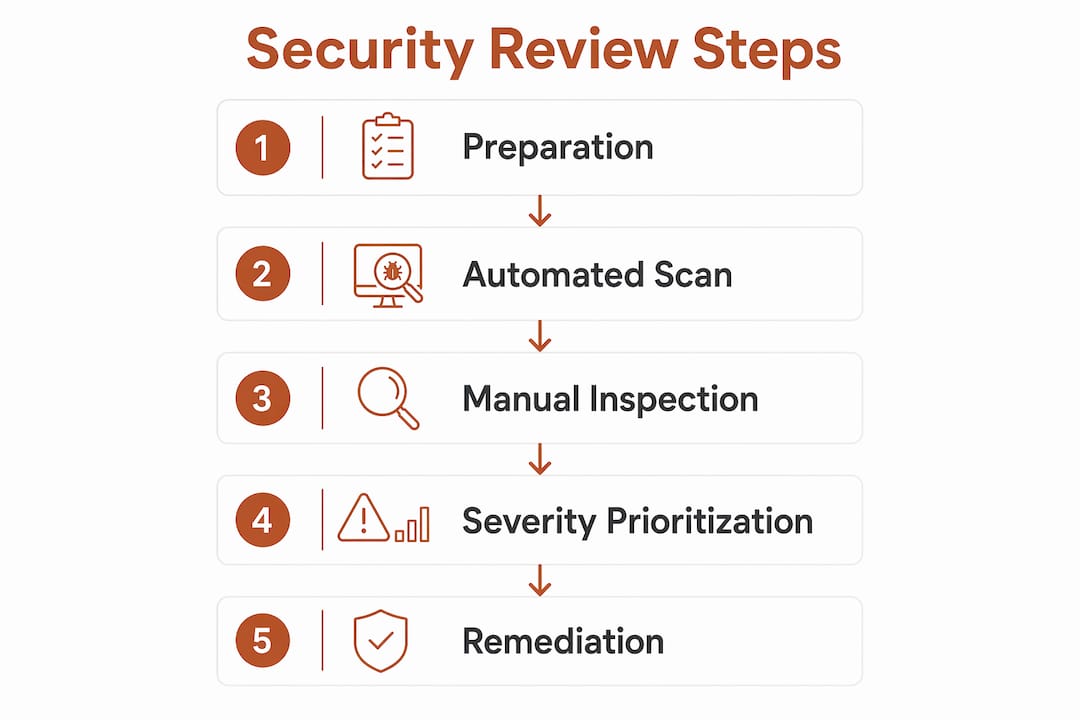
This process works whether you are reviewing your own app or auditing a client’s Lovable project. Complete each step before moving to the next. Skipping steps is how critical vulnerabilities survive to production.
Preparation
Open your project in Lovable’s built-in code editor. Export the repository to GitHub if you have not already. You need direct file access for steps 3 and 4.
The seven-step review process
-
Run automated scans first. Use GitHub’s code security risk assessment or SonarQube to get a severity-ranked list of findings. This gives you a map before you start reading code manually.
-
Audit every RLS policy. Open your Supabase dashboard and check each table. Confirm policies exist for all four operations: SELECT, INSERT, UPDATE, and DELETE. A table with only a SELECT policy is partially protected at best.
-
Search for hardcoded credentials. In your code editor, run a global search for strings like
apiKey,secret,password, andtoken. Any match in a frontend file is a critical finding. Move those values to environment variables immediately. -
Verify server-side input validation. Locate every Supabase Edge Function and backend route. Confirm each one validates and sanitizes inputs independently of what the frontend sends. Frontend validation is a UX feature, not a security control.
-
Audit third-party dependencies. Run
npm audit --audit-level=highin your project root. Review each flagged package and update or replace it. Do not ship known CVEs because a fix feels inconvenient. -
Stress test your auth flow. Use a tool like Postman or curl to send 20 rapid login attempts to your auth endpoint. If the app does not return a rate limit error, you have no brute-force protection. Test password reset the same way.
-
Inspect the deployed app with browser DevTools. Open the Network tab, trigger key actions like login and data fetch, and scan every request and response for exposed keys or sensitive data. This step catches what static analysis misses.
Severity prioritization table
| Finding | Severity | Fix priority |
|---|---|---|
| Missing RLS on any table | Critical | Fix before any deployment |
| Hardcoded API key in frontend | Critical | Fix before any deployment |
| No rate limiting on auth | High | Fix before public launch |
| Missing server-side validation | High | Fix before public launch |
| Outdated npm package with CVE | Medium | Fix within one sprint |
| Incomplete DELETE/UPDATE policy | High | Fix before public launch |
Pro Tip: Treat your severity table as a deployment gate. Critical findings block the release. High findings block public launch. Medium findings go into the next sprint. This removes the subjective judgment call that lets vulnerabilities slip through.
What are the best practices for securing Lovable-generated apps?
Fixing what you find is only half the job. The other half is building a process that stops the same issues from reappearing in the next Lovable-generated feature. Here are the practices that actually hold up in production.
- Enforce RLS explicitly on every table. Do not assume Lovable added it. Write policies yourself and test them with a non-authenticated Supabase client to confirm they block unauthorized access.
- Use environment variables for all credentials. Supabase, Stripe, SendGrid, and every other API key belongs in
.envfiles and server-side config, not in JavaScript that ships to the browser. - Add server-side validation to every endpoint. Libraries like Zod for TypeScript make this fast. Define a schema, parse the input, and reject anything that does not match. This one step eliminates most injection risks.
- Implement rate limiting on sensitive endpoints. Supabase Edge Functions support middleware. Add a simple request counter per IP on login, password reset, and any endpoint that writes data.
- Run
npm auditon every dependency update. Set this as a pre-commit hook using Husky so it runs automatically. A five-second check prevents a known CVE from reaching your repo. - Add security scanning to your CI/CD pipeline. Treating AI-generated code as untrusted input and adding mandatory security gates prevents vulnerable code from merging. SonarQube and GitHub Advanced Security both integrate directly with GitHub Actions.
- Monitor post-deployment. Set up Supabase’s built-in logging and watch for unusual query patterns, repeated auth failures, or unexpected data access volumes. Anomalies after launch often signal an exploit attempt.
Pro Tip: Run your Supabase RLS policies against a test account with no permissions. If that account can read or write any data it should not, your policies have a gap. This five-minute test catches more issues than most automated scanners.
Key takeaways
Securing Lovable-generated code requires combining automated scanning, manual RLS audits, and CI/CD security gates before any production deployment.
| Point | Details |
|---|---|
| RLS is the top risk | Missing or incomplete Supabase RLS policies are the leading cause of data exposure in Lovable apps. |
| Automate and manually review | Automated tools catch known CVEs and secrets; manual review catches misconfigured policies and logic gaps. |
| Hardcoded secrets are critical | Any API key in client-side JavaScript is exposed to every user and must move to environment variables immediately. |
| Gate deployments on severity | Block releases on critical findings and public launch on high findings to prevent vulnerable code from shipping. |
| CI/CD integration is non-negotiable | Adding security scanning to your pipeline treats AI-generated code as untrusted input by default. |
The gap between “it works” and “it’s safe”
From where I sit, the most dangerous moment in a Lovable project is right after the demo goes well. The app loads, the features work, and the temptation to ship is at its peak. That is exactly when developer confidence diverges from actual risk. Most developers overestimate the security of code they did not write manually, and AI-generated code amplifies that gap.
What I have found is that a checklist-driven audit tailored to Lovable’s specific failure patterns outperforms a generic code review every time. Generic reviews look for general problems. A focused audit looks for the exact issues Lovable consistently produces: missing RLS on specific tables, anonymous keys in client JavaScript, and auth endpoints with no throttle. The specificity is what makes it effective.
The other thing I keep coming back to is that testing security and functionality together is not optional. Some teams harden their auth flow and accidentally break the login path. You need to verify that your security fixes did not degrade the feature they were meant to protect. That dual-check discipline is what separates a real security review from a checkbox exercise.
Ship fast. Ship safe. Those two goals are not in conflict if you build the review into the process rather than bolting it on at the end.
— Vibeprod
From prototype to production-ready with Vibeprod
If you have a Lovable app that is close to launch, the gap between working and secure is smaller than you think. Vibeprod scans your GitHub repository and surfaces launch risks including exposed secrets, missing RLS coverage, and compliance gaps in under two minutes.
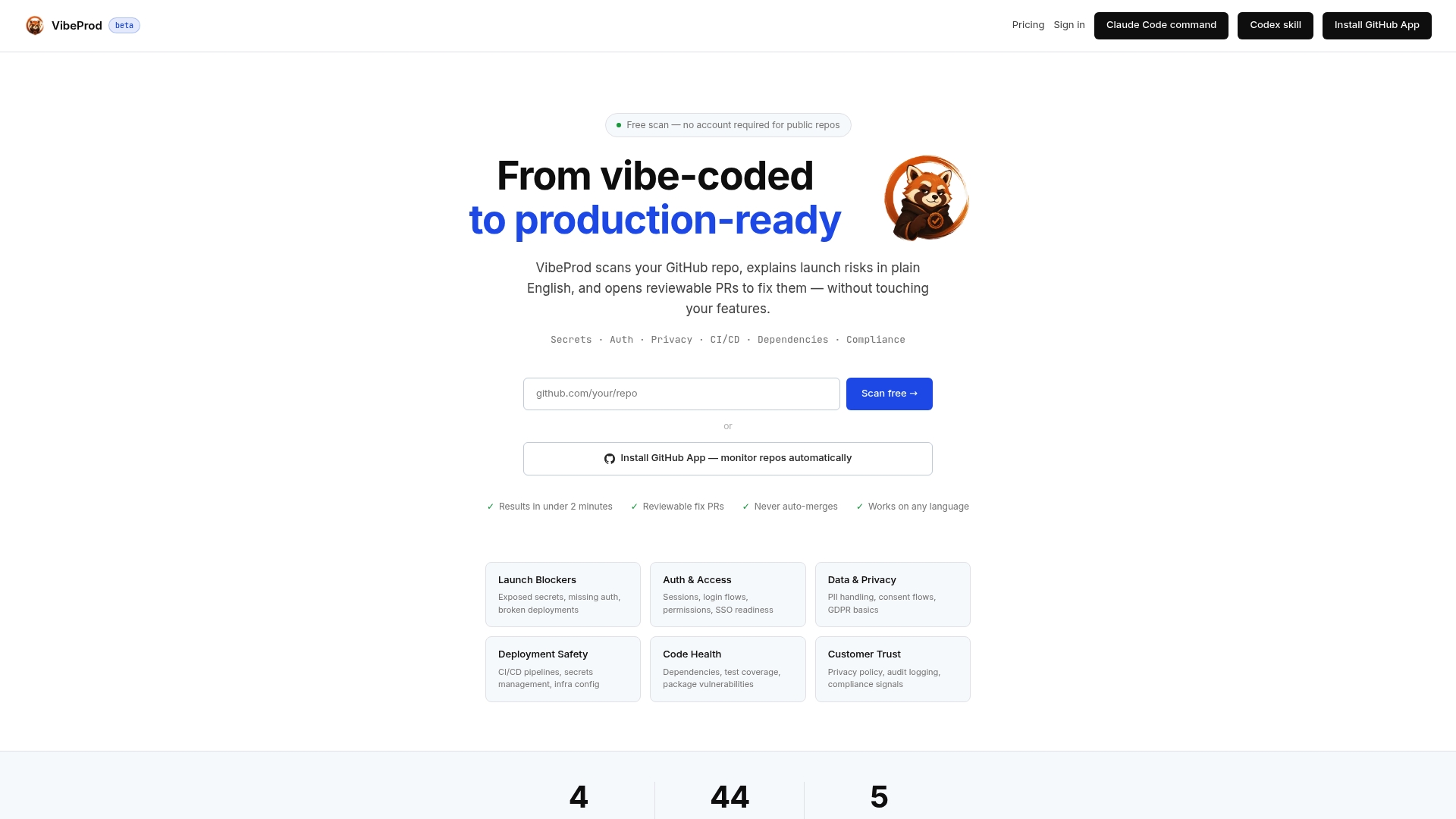
Vibeprod generates reviewable pull requests for each identified issue, with plain-English explanations so you know exactly what to fix and why. No security expertise required. You stay focused on your product while Vibeprod handles the security layer that AI tools skip. If you are ready to move from vibe-coded to production-ready, start your first scan today.
FAQ
What is the biggest security risk in Lovable-generated apps?
Missing Supabase Row Level Security policies are the top risk. CVE-2025-48757 exposed data across 170+ apps because Lovable does not implement RLS by default.
How do I check for hardcoded API keys in Lovable code?
Run a global search in your code editor for strings like apiKey, secret, and token. Any match in a frontend file must move to a server-side environment variable before deployment.
Can automated tools fully replace a manual security review?
No. Automated tools detect known CVEs and exposed secrets, but misconfigured RLS policies and logic-level access control gaps require manual inspection with a checklist tailored to Lovable’s patterns.
How often should I run a security review on a Lovable app?
Run a full review before every public launch and after any major feature addition. GitHub’s code security risk assessment supports a fresh report every 90 days as a minimum baseline.
Does Lovable fix security issues automatically?
Lovable does not add security controls like RLS, rate limiting, or input validation by default. You are responsible for implementing and verifying those controls before shipping to real users.