Fix GitHub Actions Security in 15–60 Minutes for Developers

Lock down GITHUB_TOKEN permissions, stop using long-lived cloud secrets in favor of OpenID Connect, and pin every third-party action to a commit SHA with workflow scanning enabled. If a secret has ever touched a log, rotate it now, before you read another paragraph. Everything below explains why these three moves matter and how to implement them without breaking your pipeline.
TL;DR:
- Lock down
GITHUB_TOKENpermissions explicitly at the workflow level to limit access and prevent over-permissioned workflows.- Pin all third-party actions to specific commit SHAs and enable Dependabot to review updates, avoiding supply chain risks from updated, unreviewed code.
- Use OpenID Connect for cloud provider access instead of static secrets to eliminate long-lived, reusable credentials that are targets for theft.
- Restrict privileged triggers like
pull_request_targetand validate untrusted code before execution to prevent malicious code from accessing secrets.- Enable organization audit logs, set branch protection rules, and review telemetry regularly to detect and respond quickly to workflow compromises.
Table of Contents
- What Are the Core Building Blocks of GitHub Actions Security?
- Which Repository and Organization Settings Actually Reduce Risk?
- How Do You Write Workflows That Don’t Leak Secrets or Run Untrusted Code?
- How Should You Govern Third-Party Actions and Reusable Workflows?
- How Do You Harden Runners and Limit Network Exposure?
- What Do You Do When You Suspect a Workflow Has Been Compromised?
- A 15 to 60 Minute Hardening Checklist
- How VibeProd Automates Pre-Launch Workflow Security
- Publisher Perspective: What Repeatedly Goes Wrong in Real Repositories
- Try a Scan and See the Fix PRs Before You Change Anything
- Sources
- FAQ
What Are the Core Building Blocks of GitHub Actions Security?
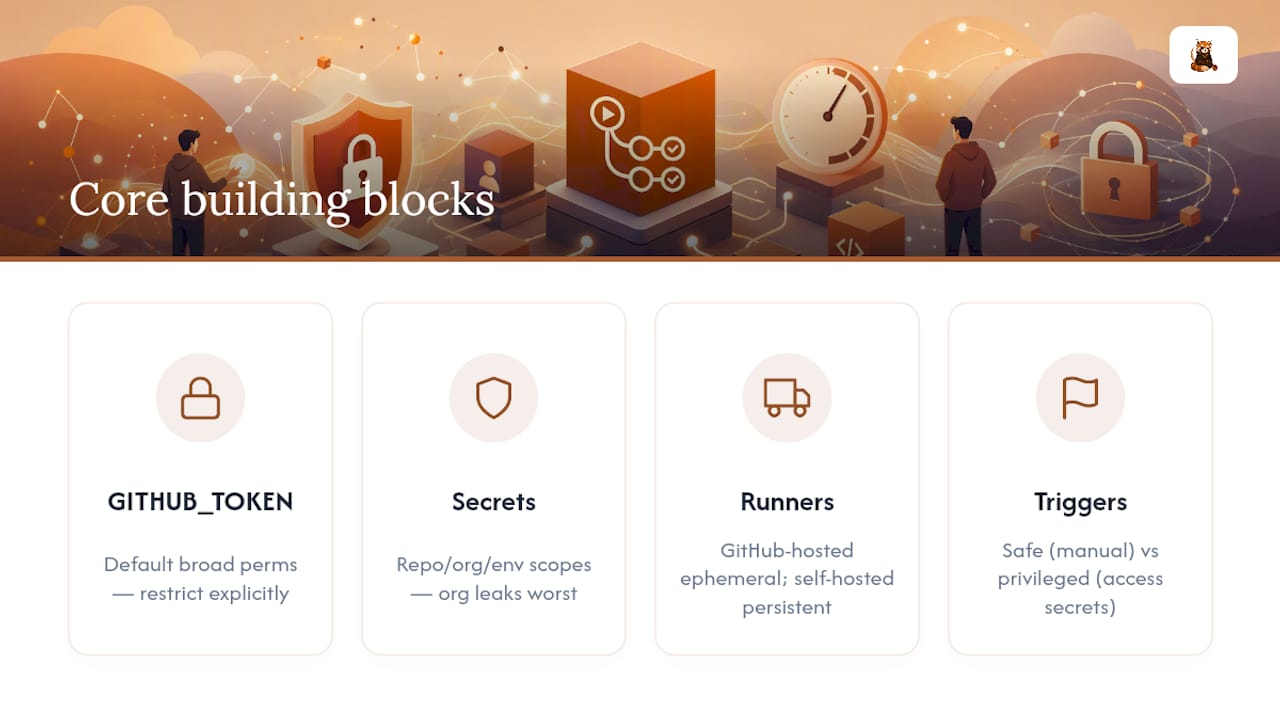
Before you can fix anything, you need to know what you’re actually locking down. GitHub Actions security rests on a handful of primitives, and most breaches trace back to a misunderstanding of one of them.
GITHUB_TOKEN is the automatically generated credential every workflow run receives. It’s scoped to the repository and expires when the job finishes, but by default it can carry broad permissions, read and write access to contents, packages, and pull requests, unless you explicitly restrict it. That default is the single biggest reason over-permissioned workflows exist. GitHub’s own secure-use guidance (Docs) recommends setting an explicit permissions block on every workflow rather than trusting the default.
Secrets in GitHub Actions live at three scopes: repository, organization, and environment. Organization secrets are the most dangerous to mismanage because a single leak can expose every repo that inherits it. Environment secrets, tied to deployment environments like production, are the tightest scope and support required reviewers before a job can access them. GitHub does mask secret values in logs automatically, but that masking isn’t foolproof. Values that get transformed, Base64 encoded, split across lines, or re-emitted as part of a signed token can slip past the redaction pattern entirely. Microsoft’s security team documented exactly this failure mode after Azure CLI commands printed credentials to Actions logs in a format the redaction filter didn’t catch.
Runners matter too. GitHub-hosted runners are ephemeral: a fresh virtual machine spins up, runs your job, then disappears. Self-hosted runners persist, which means a compromised job can leave malware, cached credentials, or a backdoor behind for the next run. That persistence is a real risk profile difference, not a minor operational detail.
Finally, triggers split into two camps. Safe triggers like push and manually dispatched workflows run with the permissions of whoever triggered them, in their own context. Privileged triggers, pull_request_target, workflow_run, and issue_comment, run with access to secrets and elevated permissions even when triggered by an external contributor’s fork. That distinction is the root cause of most GitHub Actions vulnerability disclosures over the past two years. Understanding it is what separates a workflow that’s safe by design from one that’s an open door.
OIDC, OpenID Connect, is the fix for one specific problem: static cloud credentials sitting in your secrets store indefinitely. Instead of storing an AWS or Azure key that never expires, OIDC lets your cloud provider issue a short-lived token directly to the workflow run, then discard it. No standing credential means nothing to steal.
Which Repository and Organization Settings Actually Reduce Risk?
Most of GitHub Actions security is configuration, not code. Get the repository and organization settings right and you eliminate entire categories of GitHub Actions vulnerability before a single workflow file runs.
Start with permissions at the top of every workflow. Setting permissions: {} at the workflow level denies everything by default, then you grant only what each job actually needs at the job level:
permissions:
  contents: read

jobs:
  build:
    permissions:
      contents: read
      packages: write
This “deny first, grant narrowly” pattern is the single highest-leverage change you can make, and it costs you nothing in build time.
From there, work through the repository and organization dashboard settings that actually matter:
- Rulesets and workflow execution policies: restrict which branches can trigger workflows and require that workflow file changes go through a pull request before they take effect, preventing a malicious branch push from silently altering CI behavior.
- Branch protection rules: require status checks to pass and block force-pushes to protected branches, so a compromised contributor account can’t quietly rewrite history.
- CODEOWNERS: force a designated reviewer on any change to
.github/workflows/, since a workflow file edit is functionally equivalent to a deployment change. - Environment protection rules: require manual approval and set wait timers before a job can access production secrets, giving a human a chance to catch a suspicious deployment before it runs.
- Fork pull request policies: control whether workflows run automatically for first-time contributors or require maintainer approval first.
None of this replaces good workflow code, but it builds guardrails around developers who forget, or don’t yet know, the rules.
Audit logging closes the loop. Organization-level audit logs capture who changed a secret, who modified a workflow file, and when a runner registered. Stream that log to a SIEM or at minimum review it on a schedule, because the audit trail is often the only way you’ll know a workflow was tampered with before it caused damage. GitHub’s 2026 roadmap points toward treating this kind of telemetry as a first-class feature, with a dedicated Actions Data Stream, which tells you how seriously the platform now takes CI/CD as infrastructure worth monitoring, not just a build tool.
How Do You Write Workflows That Don’t Leak Secrets or Run Untrusted Code?
Configuration sets the ceiling. Workflow code is where most real incidents actually happen, because that’s where untrusted input meets a shell.
The riskiest pattern in GitHub Actions security is checking out a pull request’s head commit inside a privileged trigger like pull_request_target. That trigger runs with your repo’s secrets and write access, but if your workflow then checks out the forked code and executes it, you’ve just handed an anonymous contributor your secrets. This exact pattern, known informally as a “pwn request,” has driven a wave of real disclosures. GitHub responded in 2026 by hardening actions/checkout defaults and shifting to read-only caches for untrusted triggers, specifically to cut off this exploitation path at the platform level.
Follow this sequence when authoring any workflow that touches a privileged trigger:
- Ask if you need
pull_request_targetat all. For simple tasks like auto-labeling or commenting, use the base branch context only and never check out the PR head, a pattern the OWASP GitHub Actions cheat sheet spells out directly. - Set
persist-credentials: falseon everyactions/checkoutstep unless a later step genuinely needs the git token, so a compromised dependency can’t silently push using your workflow’s identity. - Declare permissions at the job level, not just the workflow level, so a single job that needs
issues: writedoesn’t also inheritcontents: writeby accident. - Never interpolate GitHub context values directly into shell commands. A PR title or branch name is attacker-controlled text;
run: echo "${{ github.event.pull_request.title }}"is a textbook injection vector, the same class of problem documented extensively in shell scripting. Pass the value through an environment variable instead and reference it as$TITLEinside the script. - Register any transformed secret as a secret, not just the raw value. If your workflow Base64-encodes a token or embeds it in a JWT, GitHub’s automatic masking won’t catch the transformed output unless you explicitly tell the runner to treat that derived string as sensitive too.
Pro Tip: Treat every workflow log as if it will eventually be public. If you wouldn’t paste a value into a GitHub issue, don’t let a run: step print it, even accidentally through a debug flag or verbose CLI output.
Masking failures aren’t hypothetical. Reporting on GitHub’s checkout hardening confirms that redaction is a pattern match, not a guarantee, and structured or partial secret output routinely slips through. Manual log review after any incident, not just automated scanning, remains part of a responsible response.
How Should You Govern Third-Party Actions and Reusable Workflows?
Every action you reference from the Marketplace is a piece of code you didn’t write, running with access to your secrets. That’s the entire supply-chain risk surface in one sentence.
Pin every third-party action to a full commit SHA, never a mutable tag like @v4. A tag can be moved by the action’s maintainer, intentionally or after a compromised account, pointing your workflow at completely different code overnight. A SHA can’t be silently swapped. Yes, this means you lose automatic updates, but that’s what Dependabot is for: configure it to open pull requests when a pinned action has a new version, so you review and approve the change instead of trusting it blindly.
Beyond pinning, a handful of governance habits close most of the remaining gap:
- Maintain an allowlist of approved actions at the organization level, so developers can’t casually add an unreviewed action from a random GitHub user to a production workflow.
- Fork and vendor risky but necessary actions into your own organization when you need functionality from a small, lightly maintained project, giving you control over what code actually runs.
- When calling reusable workflows, avoid
secrets: inheritand pass only the specific secrets that workflow needs. Inheriting everything means a bug in a called workflow can exfiltrate secrets it never needed. - Use OpenSSF Scorecards to score an action’s maintenance activity, branch protection, and known vulnerabilities before you add it, rather than judging it by star count alone.
Automated checks like Scorecards and Dependabot are effective at surfacing risky patterns, but they only work when paired with the governance layer, CODEOWNERS and rulesets, that forces a human to actually look at what the scan flagged.
How Do You Harden Runners and Limit Network Exposure?
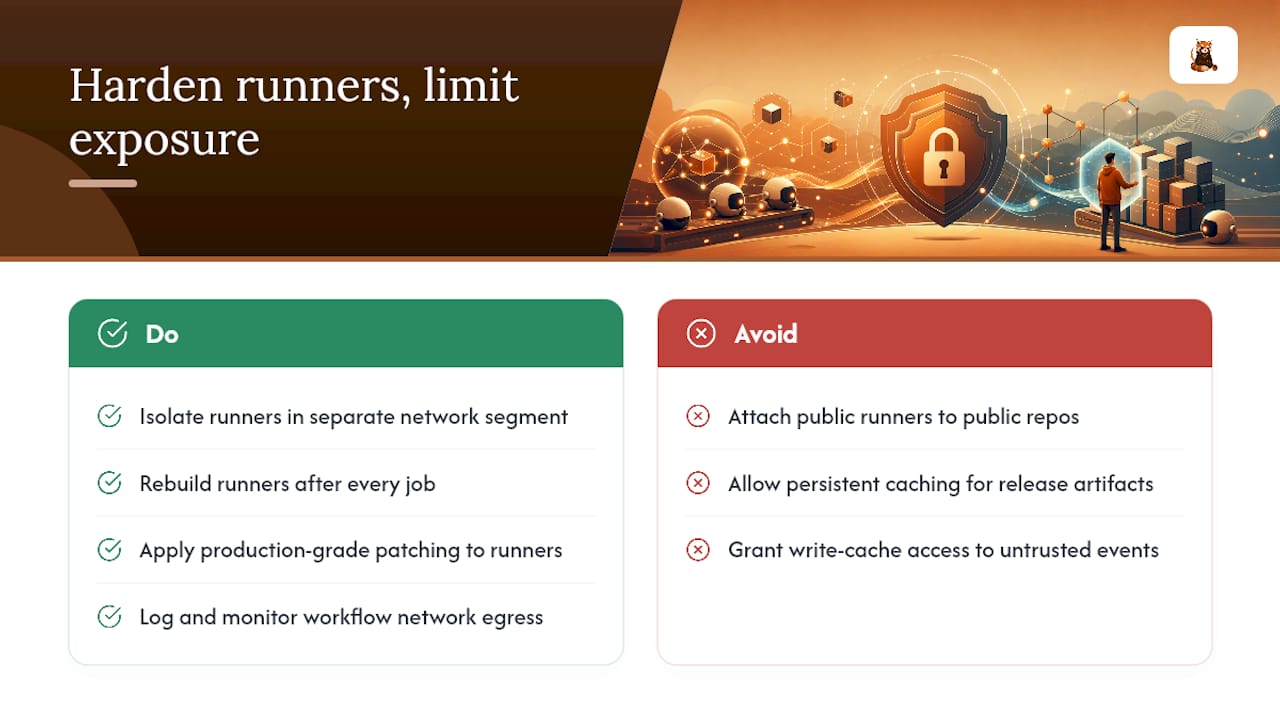
Self-hosted runners solve real problems, private network access, custom hardware, faster builds, but they invert the security model. A GitHub-hosted runner disappears after your job finishes. A self-hosted runner sticks around, and if it’s exposed to public repositories, anyone who can open a pull request can potentially execute code on it.
Never attach a public self-hosted runner to a public repository. That configuration has been behind more than one high-profile compromise, because a malicious workflow file in a fork can execute arbitrary code on infrastructure that has network access to everything else in your environment. If you must run self-hosted infrastructure, isolate it in its own network segment, treat each runner as ephemeral by rebuilding it after every job rather than letting it persist, and apply the same patching discipline you’d use on any production server.
Caching deserves the same scrutiny. A release workflow that restores a cache populated by an earlier, untrusted run can pull in tampered dependencies without anyone noticing. Use read-only cache access for workflows triggered by untrusted events, and disable persistent caching entirely for anything that produces a signed release artifact.
Network egress is the control most teams skip, and it’s also where a compromise becomes visible fastest. A workflow that suddenly starts making outbound calls to an unfamiliar domain, exfiltrating a token or downloading a second-stage payload, is detectable if you’re logging egress traffic at all. GitHub’s 2026 roadmap includes a native egress firewall specifically because treating CI infrastructure as critical infrastructure means instrumenting it the way you’d instrument a production network, not leaving it as an unmonitored blind spot.
What Do You Do When You Suspect a Workflow Has Been Compromised?
Detection has to happen before response, so start there. Enable CodeQL for static analysis of your application code and run OpenSSF Scorecards against your workflow files to flag risky patterns like missing pinning or overly broad permissions, before an attacker finds them for you. Watch your audit logs and runner telemetry for the actual signals of compromise: unexpected outbound network calls from a build job, a workflow run triggered at an unusual hour by an account that’s never touched CI before, or repeated failed attempts to access a secret a job shouldn’t need.
Once you see a credible signal, move fast and in this order:
- Disable the affected workflow immediately by removing its trigger or disabling it in the Actions tab, stopping any further runs while you investigate.
- Rotate every secret the workflow had access to, not just the one you suspect was exposed, since scoped secrets often overlap across jobs.
- Revoke any OIDC-issued cloud credentials or access tokens tied to the compromised run through your cloud provider’s console.
- Preserve the logs before they roll off retention, since they’re your only record of what the malicious code actually did.
- Audit recent changes to workflow files and repository settings for anything that shouldn’t be there, including new collaborators or altered branch protection rules.
Once contained, tighten whatever policy gap allowed the compromise, run a short post-mortem, and update your checklist so the same misconfiguration can’t recur elsewhere in your organization.
A 15 to 60 Minute Hardening Checklist
You don’t need a security team to knock out the highest-impact fixes this afternoon. Work through these in order:
- Add
permissions: {}at the workflow level and grant scoped permissions per job (15 minutes). - Set
persist-credentials: falseon everycheckoutstep (10 minutes). - Replace any static cloud credential secret with OIDC federation (30 to 60 minutes, depending on cloud provider setup).
- Pin every third-party action to a commit SHA and enable Dependabot for
github-actionsupdates (20 minutes). - Rotate any secret that has ever appeared in a log immediately, before continuing.
- Add CODEOWNERS coverage for
.github/workflows/and enable CodeQL and Scorecards scanning (15 minutes).
None of these require a rewrite. They’re settings changes and small YAML edits that close the paths attackers actually use.
How VibeProd Automates Pre-Launch Workflow Security
Working through that checklist by hand across every repository you own gets tedious fast, which is exactly the gap VibeProd is built to close. It scans your repository for exposed secrets, compliance gaps, and CI/CD misconfigurations, then opens a reviewable pull request with a plain-English explanation of each fix, without touching your existing features. VibeProd’s design target is under two minutes from scan to actionable results.
That speed matters most for solopreneurs and small teams who don’t have a dedicated security reviewer checking every workflow file before launch. Such tools do not replace human judgment on architecture decisions or incident response strategy. They handle repetitive, easy-to-miss configuration work so you can spend your review time on the calls that actually need a person.
Publisher Perspective: What Repeatedly Goes Wrong in Real Repositories
The same three mistakes show up over and over: workflows with default permissions nobody bothered to scope down, actions pinned to a tag instead of a SHA, and privileged triggers that check out pull request code without a second thought. None of these are exotic. They’re default behavior left unchanged.
What actually reduces friction isn’t a longer security review, it’s smaller, clearer fixes delivered where developers already work. A reviewable pull request that explains why a permission needs tightening gets merged. A 40-page audit report gets shelved. If you haven’t run a scan against your own repository yet, that’s the fastest way to see which of these gaps you’re already carrying.
— Vibeprod
Try a Scan and See the Fix PRs Before You Change Anything
There are faster alternatives to a manual security audit for indie developers who don’t have a CI/CD specialist on staff. Instead of working through the checklist above line by line across every repository, you can connect a repo to a scanning service that checks for exposed secrets, missing permission scopes, and CI/CD misconfigurations directly.
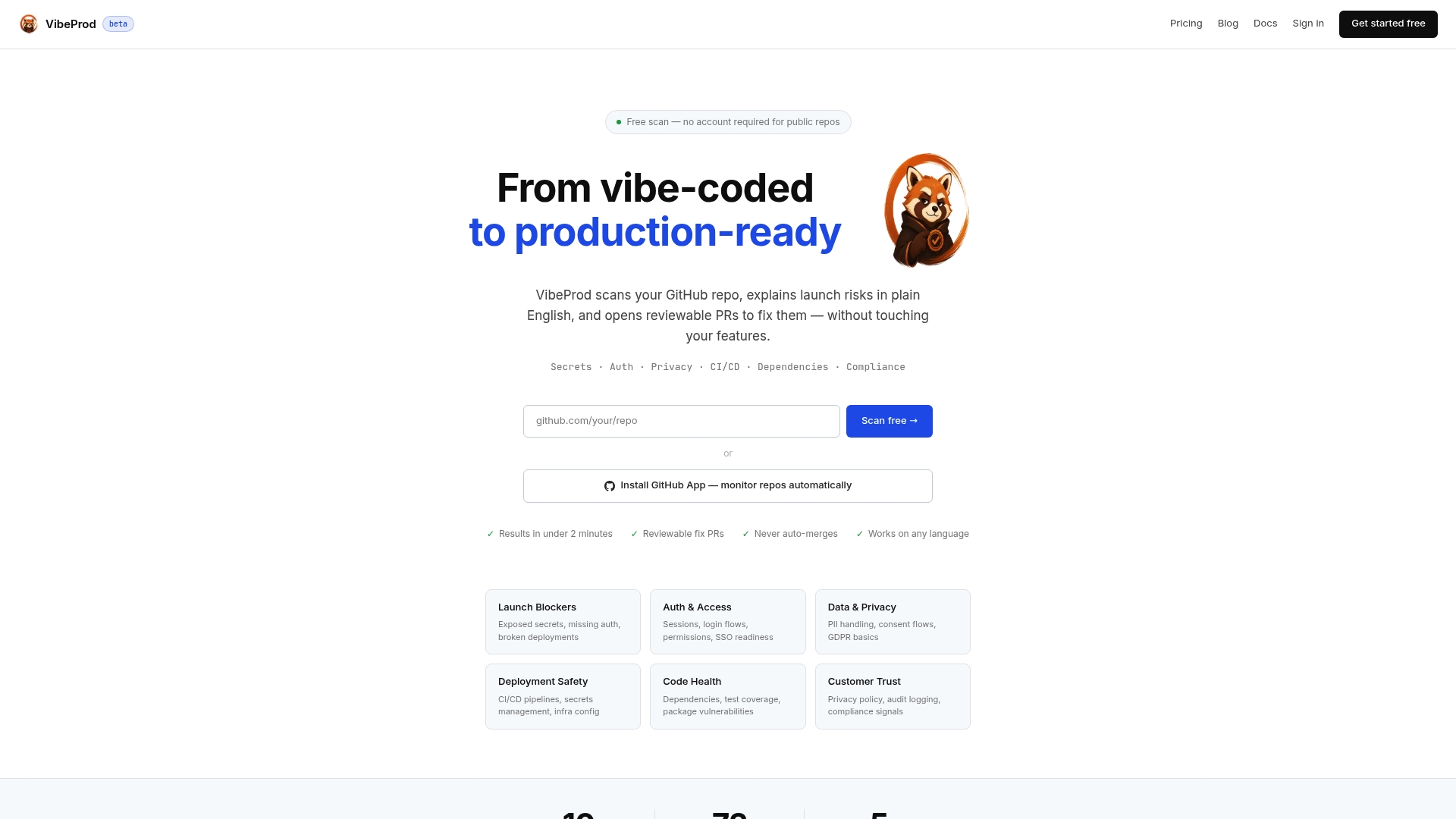
The scan produces plain-English explanations of what it found and opens a reviewable pull request for each fix, so nothing merges without your approval and nothing about your existing features changes underneath you. Vibeprod’s process is built to return actionable results in under two minutes, which means you get real feedback on where your workflows stand before you ever ship to real users. If you’re launching something new or auditing something you built fast, start with a scan on VibeProd and see the fix pull requests it generates for your own repository.
Sources
- Secure use reference - GitHub Docs
- What’s coming to our GitHub Actions 2026 security roadmap - The GitHub Blog
- Mitigating attack vectors in GitHub workflows - OpenSSF
FAQ
How Secure Are GitHub Actions by Default?
GitHub Actions ships with reasonably secure defaults for runner isolation, but permissions default to broad access unless you explicitly scope them down with a permissions block, which is the single biggest gap teams leave open.
Are There Known Security Issues With GitHub Actions?
Yes. The most documented issues involve privileged triggers like pull_request_target checking out untrusted code, mutable action tags getting swapped for malicious versions, and secrets leaking through incomplete log redaction.
How Reliable Is GitHub Actions for Production CI/CD?
GitHub Actions is reliable for production use when configured with least-privilege permissions, pinned actions, and OIDC for cloud access; reliability problems in practice almost always trace back to configuration gaps, not platform outages.
What Are the Main Limitations of GitHub Actions Security Features?
Automatic secret masking doesn’t catch transformed or structured secret values, so teams still need to manually review logs and explicitly register derived secrets rather than relying on redaction alone.
Can Automated Tools Replace Manual Security Review for GitHub Actions?
Automated scanning tools like CodeQL and OpenSSF Scorecards, and services like VibeProd that generate fix pull requests, catch the majority of common misconfigurations quickly, but human review still matters for architecture-level decisions and unusual edge cases.